ReframeReimagine Fx
Maya format delivery / available now

One scene.Every format.

Plan crops, compare delivery frames, preserve the camera, and send multiple outputs through Arnold without rebuilding the shot for every platform.

Version 1.0 · $14.99 · Instant download from Gumroad

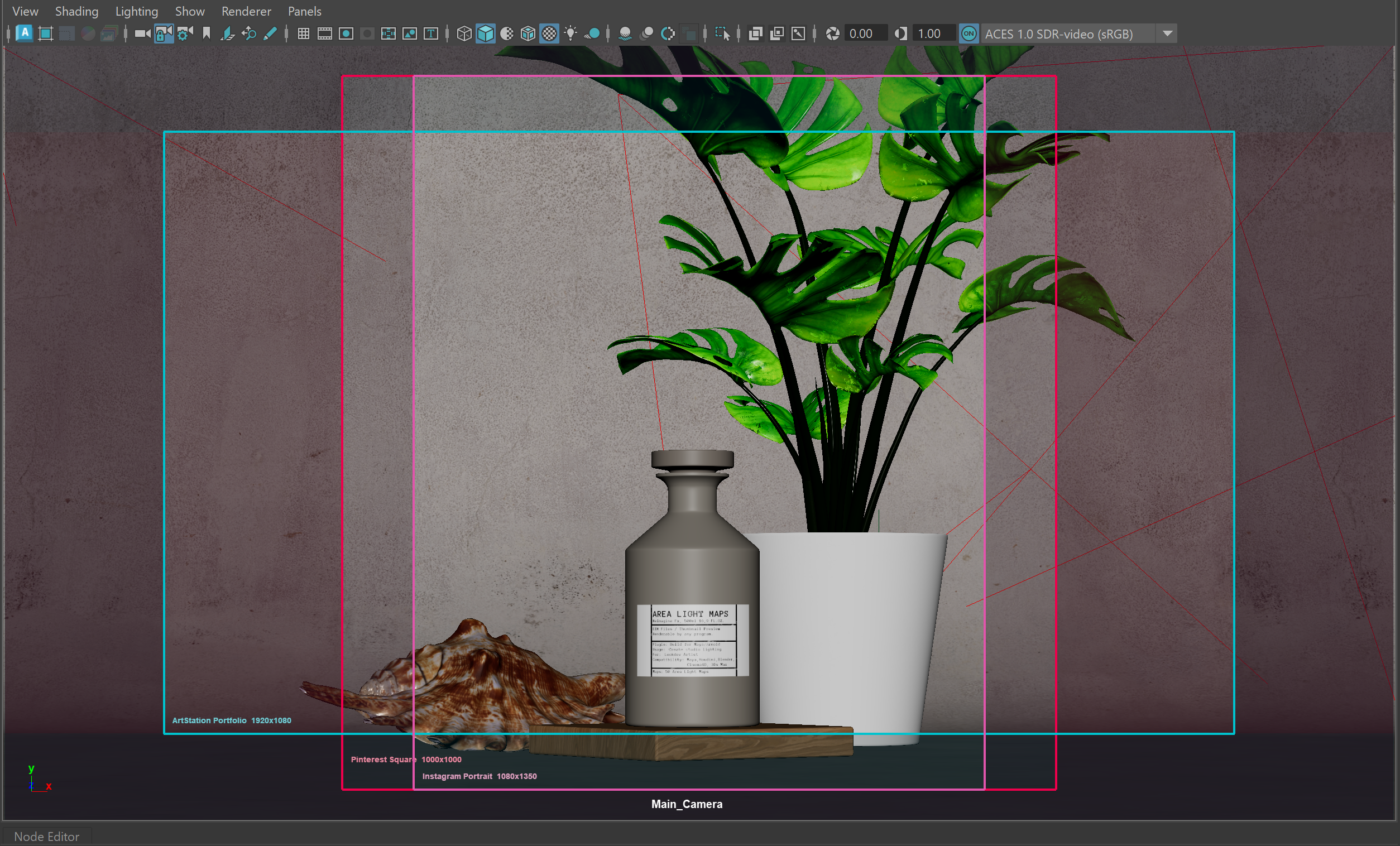
Reframe delivery guides shown in an Autodesk Maya viewport
39 presetsProduction formats
12 familiesSocial and delivery
Live guidesInside Maya
Arnold queueStills and sequences
Preset library

Choose the output before touching the camera.

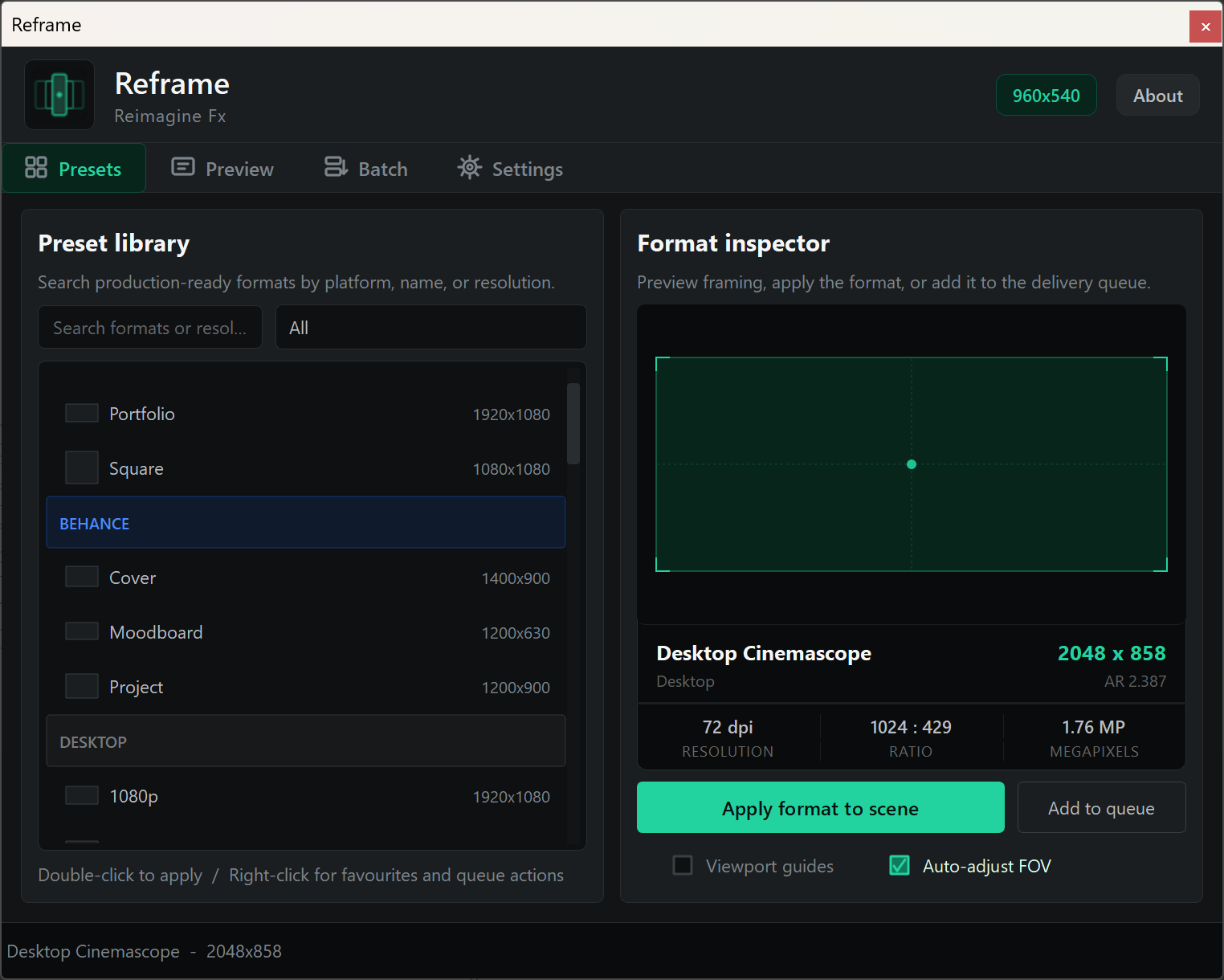
Search by platform, name, or resolution. Inspect the crop, apply it to the scene, add it to favourites, or place it directly in the delivery queue.

  • Thirty-nine production-ready output presets
  • Resolution, ratio and megapixel inspection
  • Custom formats for one-off deliveries
Reframe Preset library and Format inspector
Presets tab / library and format inspector
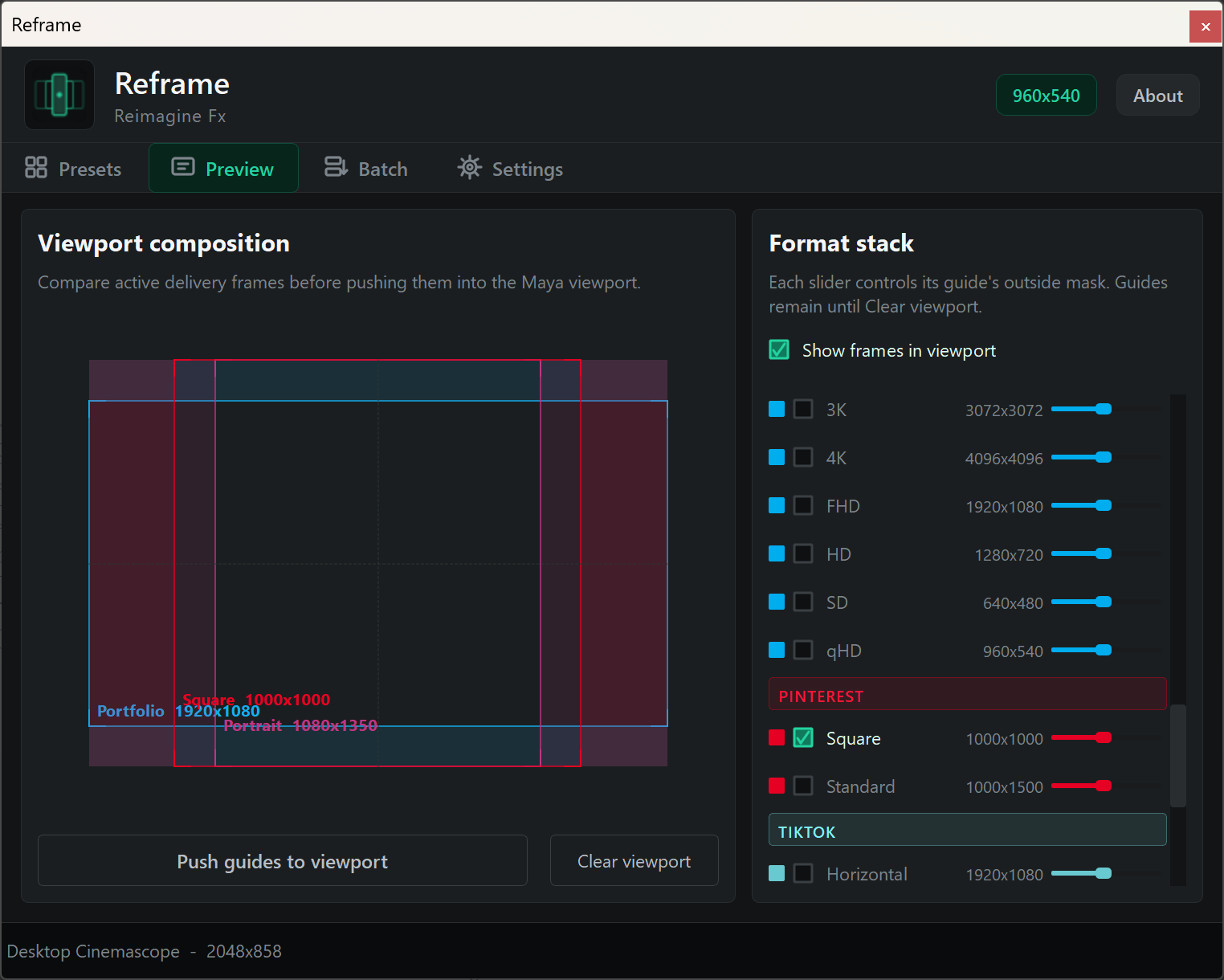
Reframe Preview tab with multiple delivery frames
Preview tab / format stack and outside-mask controls
Format preview

Compare every crop before you commit.

Stack portrait, square, landscape, and platform-specific frames in one clean composition view. Each guide keeps its own color and outside-mask opacity.

  • Multiple delivery frames at the same time
  • Independent outside-mask opacity
  • Push the selected stack into the active camera
Maya viewport

See the delivery frames against the actual shot.

Color-coded frames and compact labels stay attached to the active Maya camera, so the relationship between formats remains visible while you work.

Reframe frames and labels visible directly in Maya
ArtStation Portfolio / Pinterest Square / Instagram Portrait
Arnold delivery

Queue once. Render in order.

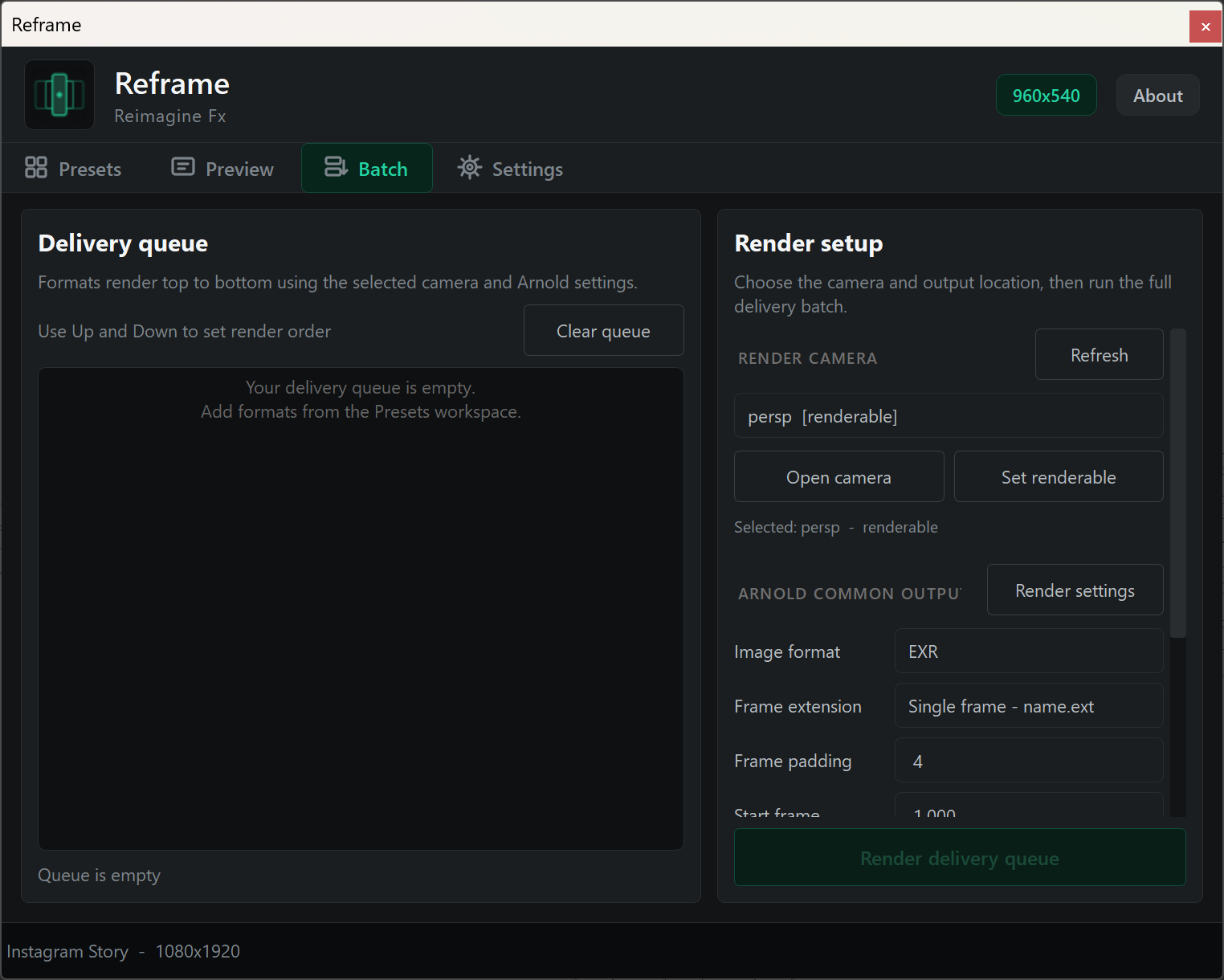
Build an ordered output list, select and open the render camera, then keep Arnold Common image format, frame extension, padding, and frame range synchronized.

  • Still images and frame sequences in preset-specific folders
  • Explicit Up and Down queue ordering
  • Escape cancellation with scene state restored after delivery
Reframe Delivery queue and Arnold render setup
Batch tab / delivery queue and Arnold Common output
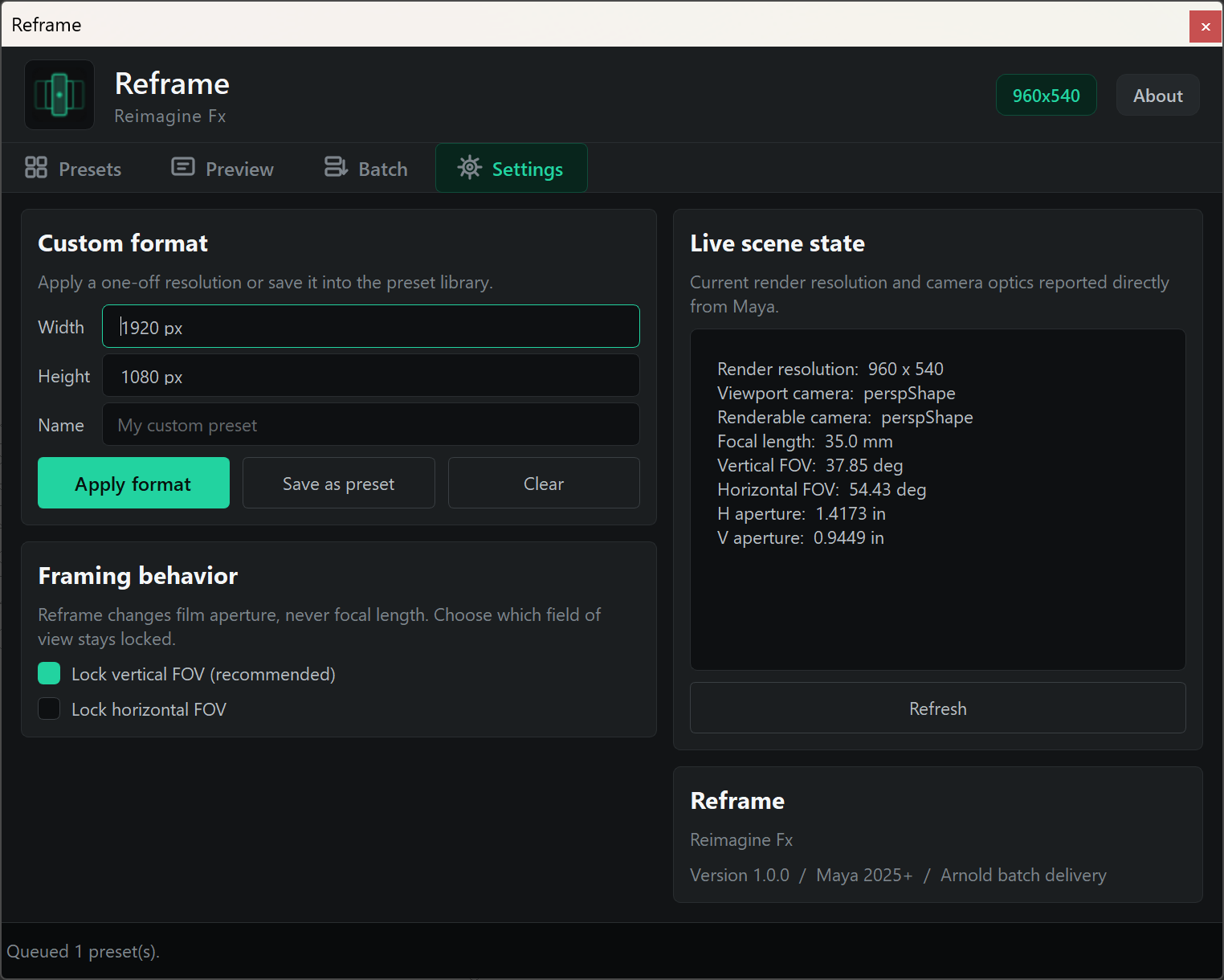
Reframe Settings tab with custom format and live scene state
Settings tab / custom formats, FOV lock and scene state
Scene-aware controls

Keep the framing decision explicit.

Create custom sizes, lock vertical or horizontal FOV, and read the current camera optics and resolution directly from Maya.

  • Film-aperture adjustment without focal-length changes
  • Vertical or horizontal FOV lock
  • Live resolution and camera-optics readback
One focused workflow

From format choice to final delivery.

01 / CHOOSE

Find the format

Search the library or create a custom output size.

02 / COMPARE

Review the crop

Stack delivery frames and tune outside masks.

03 / APPLY

Protect the shot

Adjust film aperture under an explicit FOV lock.

04 / DELIVER

Render the queue

Send ordered stills or sequences through Arnold.

Available now

One scene. Every format. Delivered.

Plan, compare, apply, and render every delivery format without rebuilding the shot for each platform.

Version 1.0.0 · Autodesk Maya 2025+ · Windows 10/11 · Arnold required for batch delivery