Maya 2026 + Arnold lighting cockpit

Light like a pro, in one panel.

Browse 145 professional EXR light maps, relight every Arnold area light, build complete studio rigs, control light linking, and place reflections precisely — without leaving the plugin.

145 EXR maps 11 categories 2048² resolution Free updates
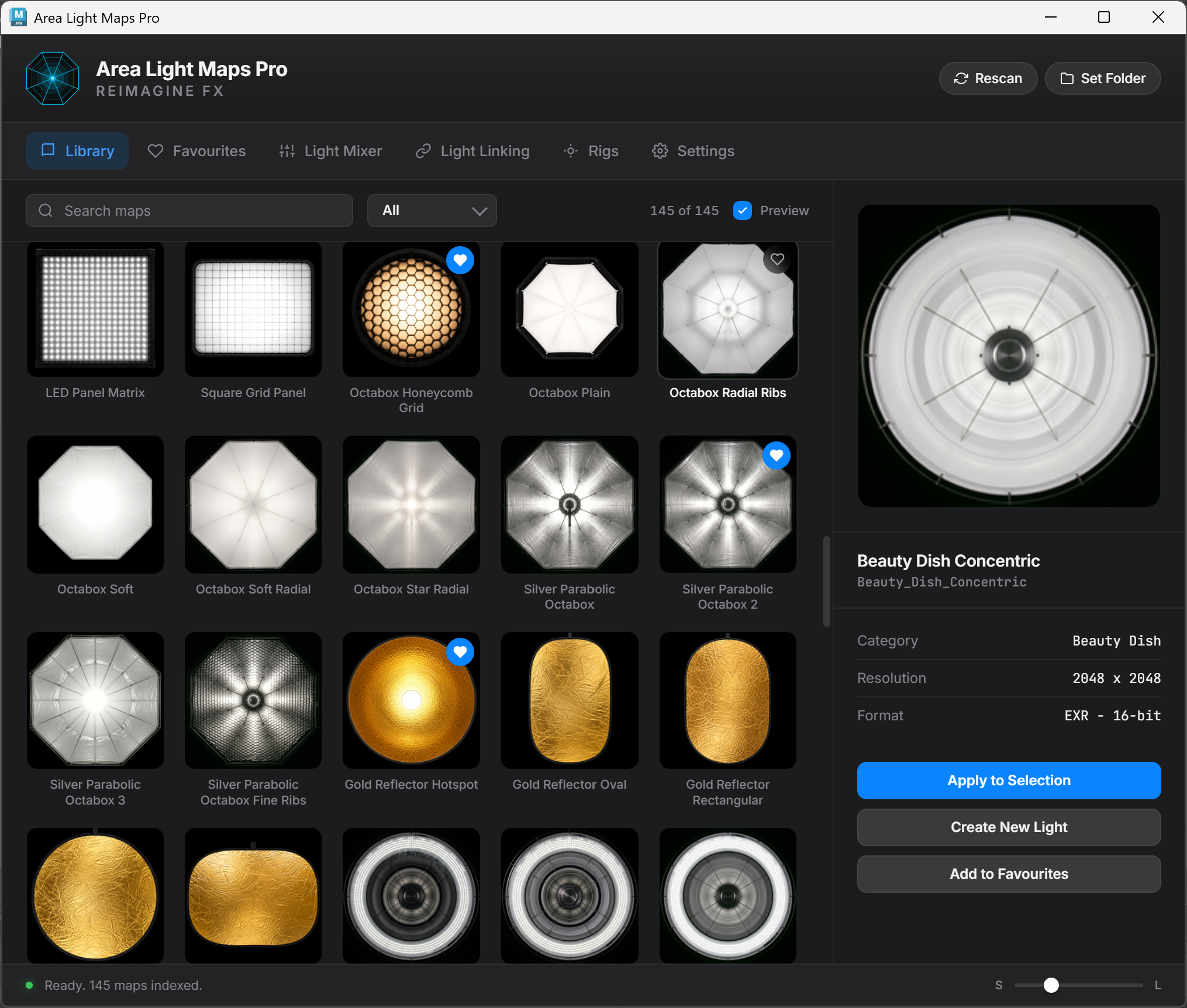
Area Light Maps Pro Library interface inside Maya
Visual Library Search, filter, preview, favourite, apply, or spawn a new light.
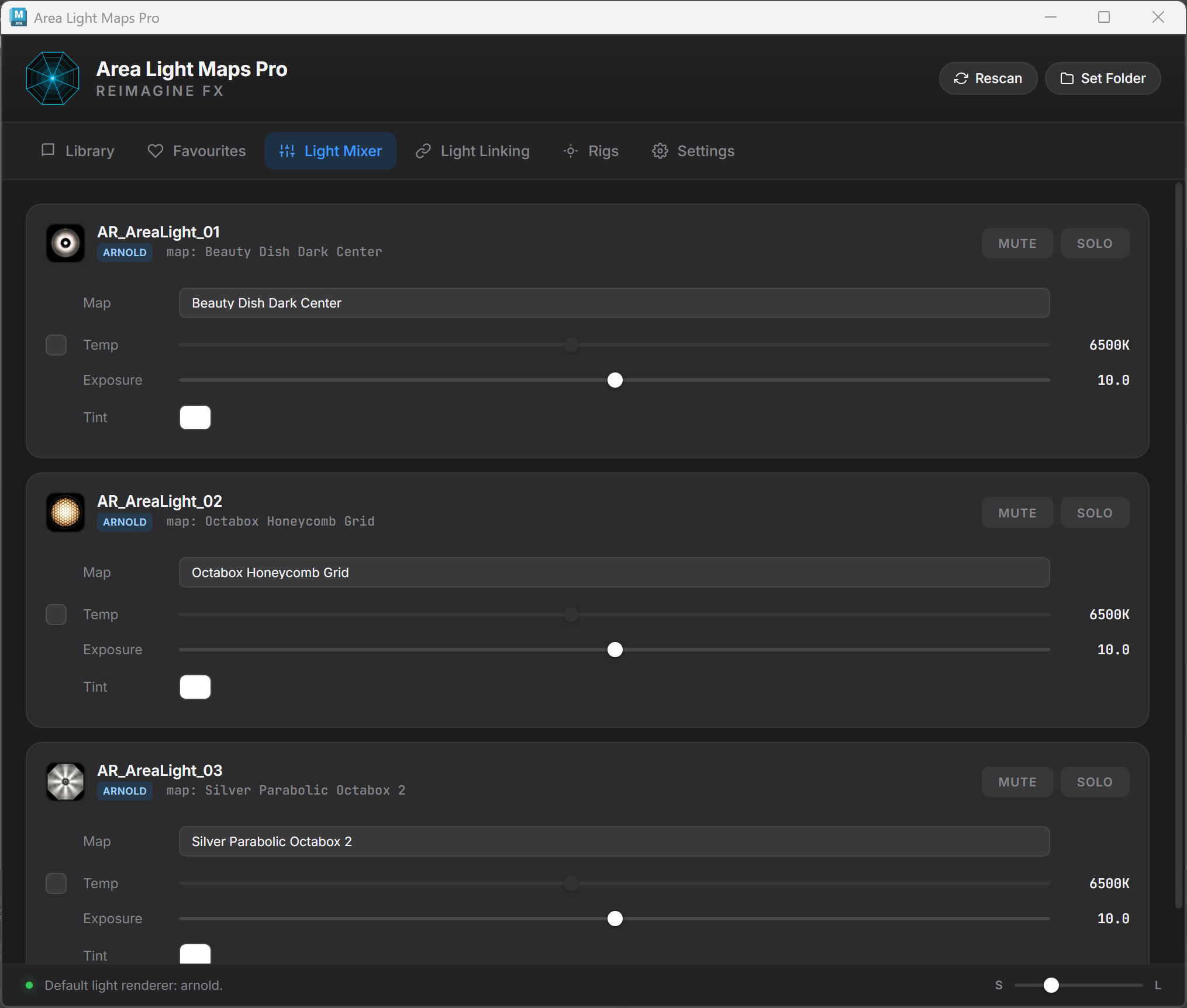
Light Mixer Exposure, temperature, tint, map swapping, mute, and solo.
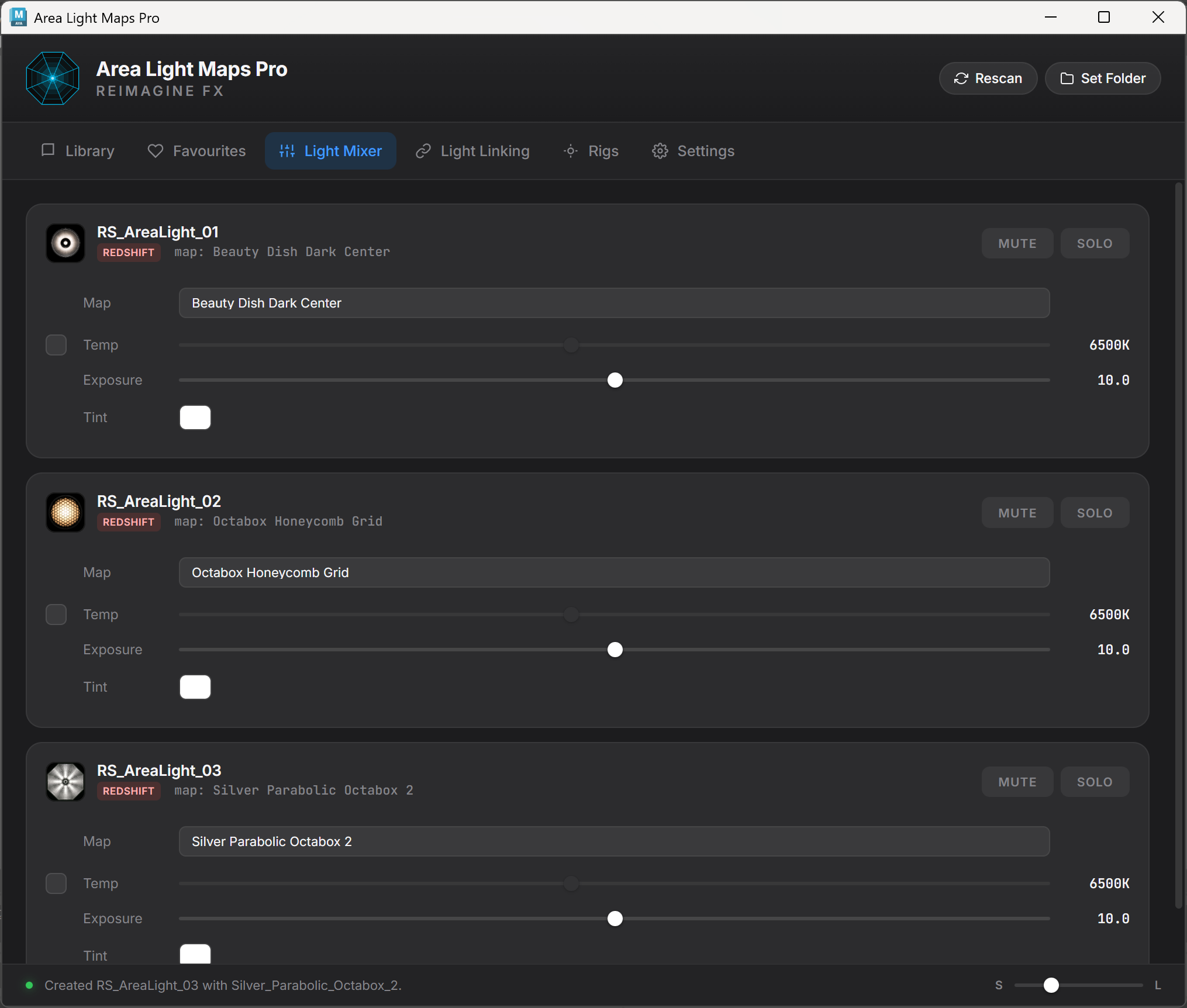
Lighting Rigs Five complete setups that center, scale, and aim automatically.
Reflection Placer Position the light so the highlight lands exactly where selected.
145
Hand-built area-light maps ready for Arnold.
11
Softbox, octabox, ring, reflector, gel, and specialty categories.
2K
2048 × 2048, half-float EXR maps with matching thumbnails.
v2.0
A complete lighting workflow rather than a texture browser alone.
Rendered with Area Light Maps Pro

Light maps that visibly shape the render.

These renders were created with the included maps to demonstrate reflection character, studio-light form, directional breakup, and cinematic light patterns.

Bottle lighting variations created with Area Light Maps Pro
Product-lighting variations
Portrait ring light and product softbox lighting examples
Ring light, softbox, and product response
Architectural and cinematic lighting examples made with Area Light Maps Pro
Cinematic and architectural light patterns
One professional lighting workspace

Browse, mix, link, rig, place, and recall.

Area Light Maps Pro consolidates the Arnold area-light workflow into a focused interface designed for lighting and look-development artists.

Visual map library

Find the right reflection before touching the Attribute Editor.

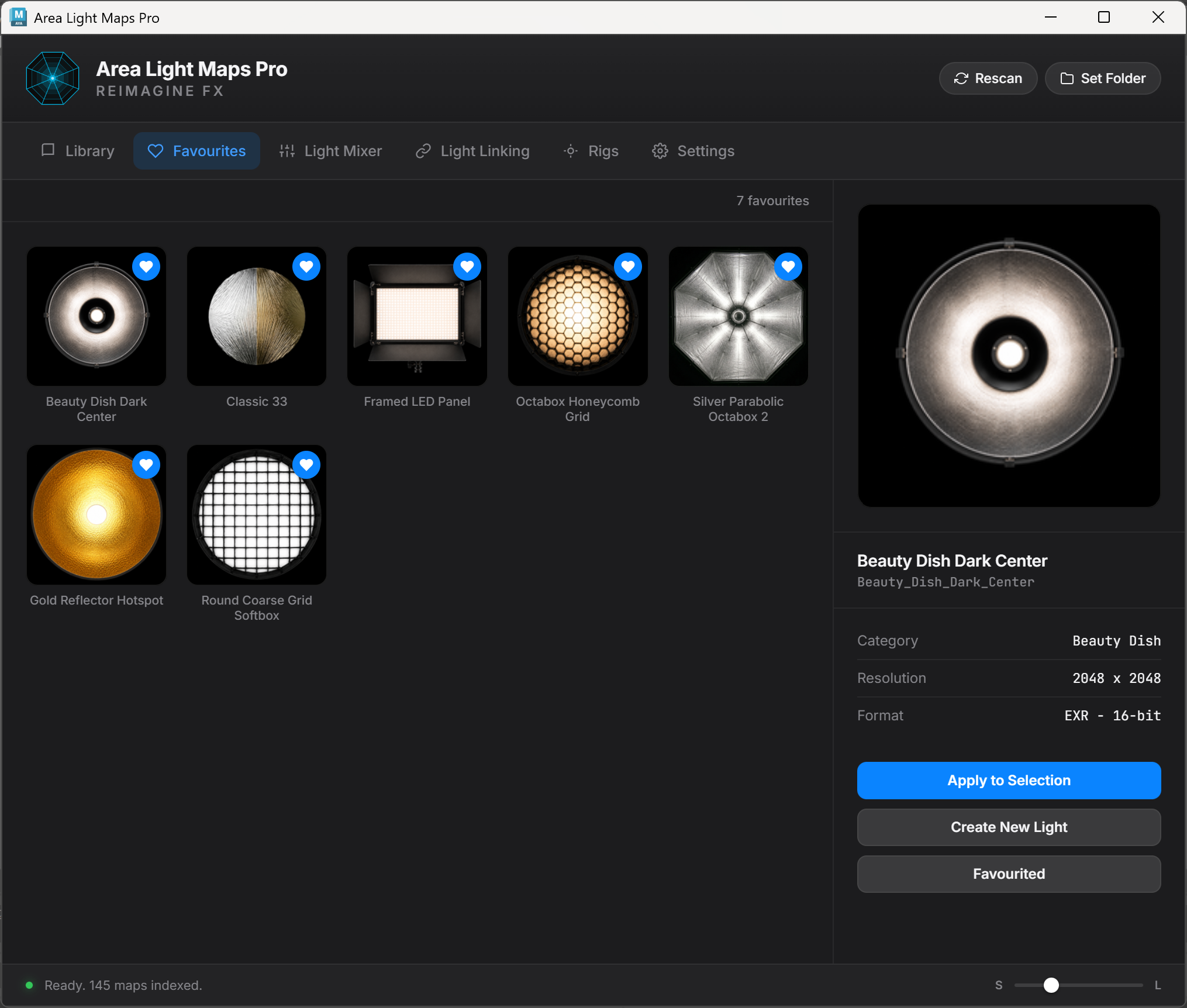
Search by name, filter by category, preview at useful sizes, maintain a favourites list, and apply a map directly to selected area lights. Double-clicking a thumbnail creates a fresh mapped light instantly.

  • 145 maps across 11 curated categories.
  • Actual thumbnail previews for every EXR map.
  • Apply to Selection, Create New Light, and Favourites controls.
  • Adjustable thumbnail sizing for compact or visual browsing.
Area Light Maps Pro favourites interface
Light Mixer

Relight the entire scene without hunting through Maya.

Every Arnold area light appears as a clear control strip with its map thumbnail and name. Adjust exposure, color temperature, tint, mute, solo, and map assignment from one scene-wide view.

  • Immediate map and light identification through thumbnails.
  • Temperature range from 2000K to 12000K.
  • Two-way exposure control with Maya.
  • Mixer state persists with the scene file.
Area Light Maps Pro Light Mixer interface
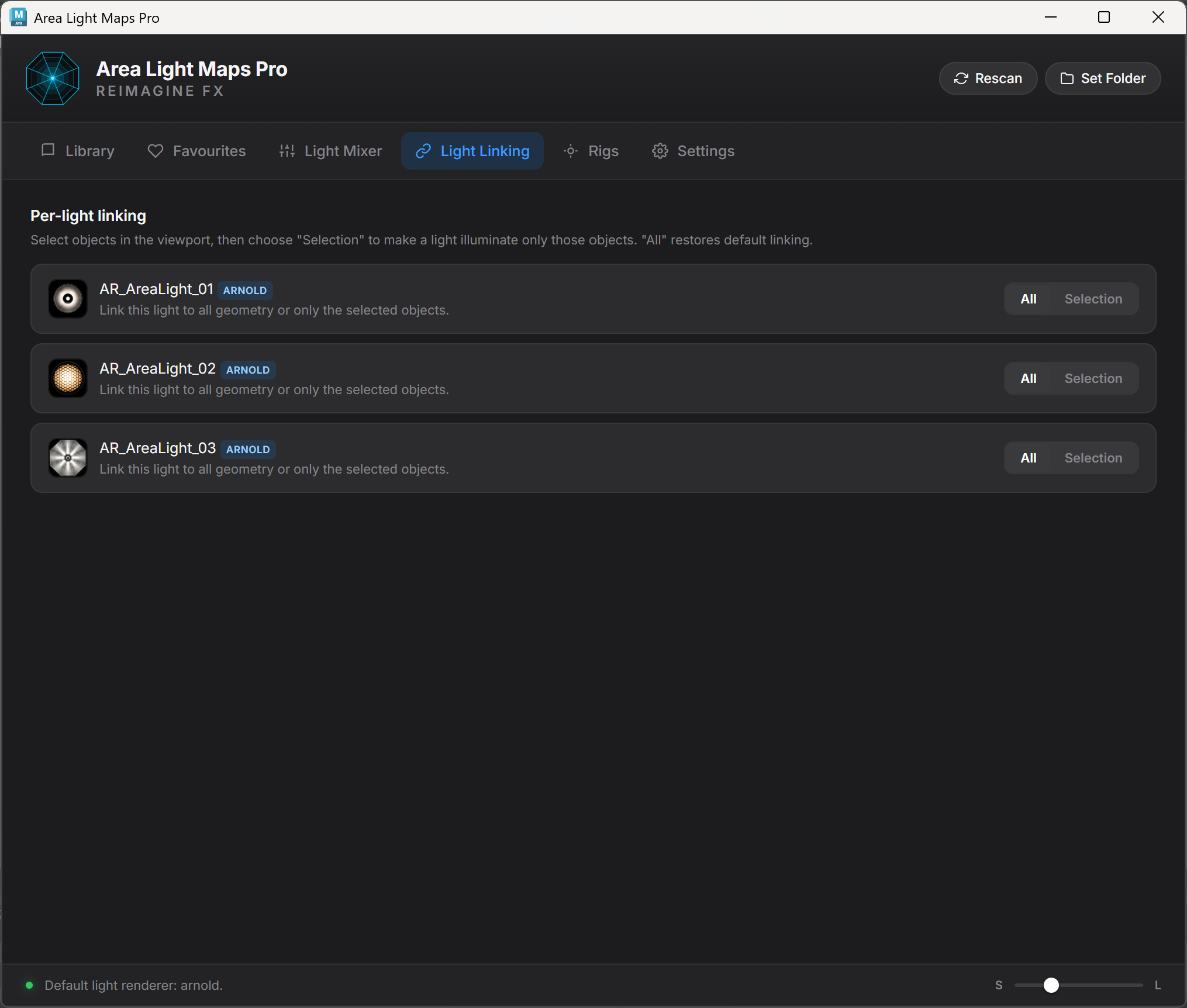
Light Linking

Decide exactly what each light is allowed to illuminate.

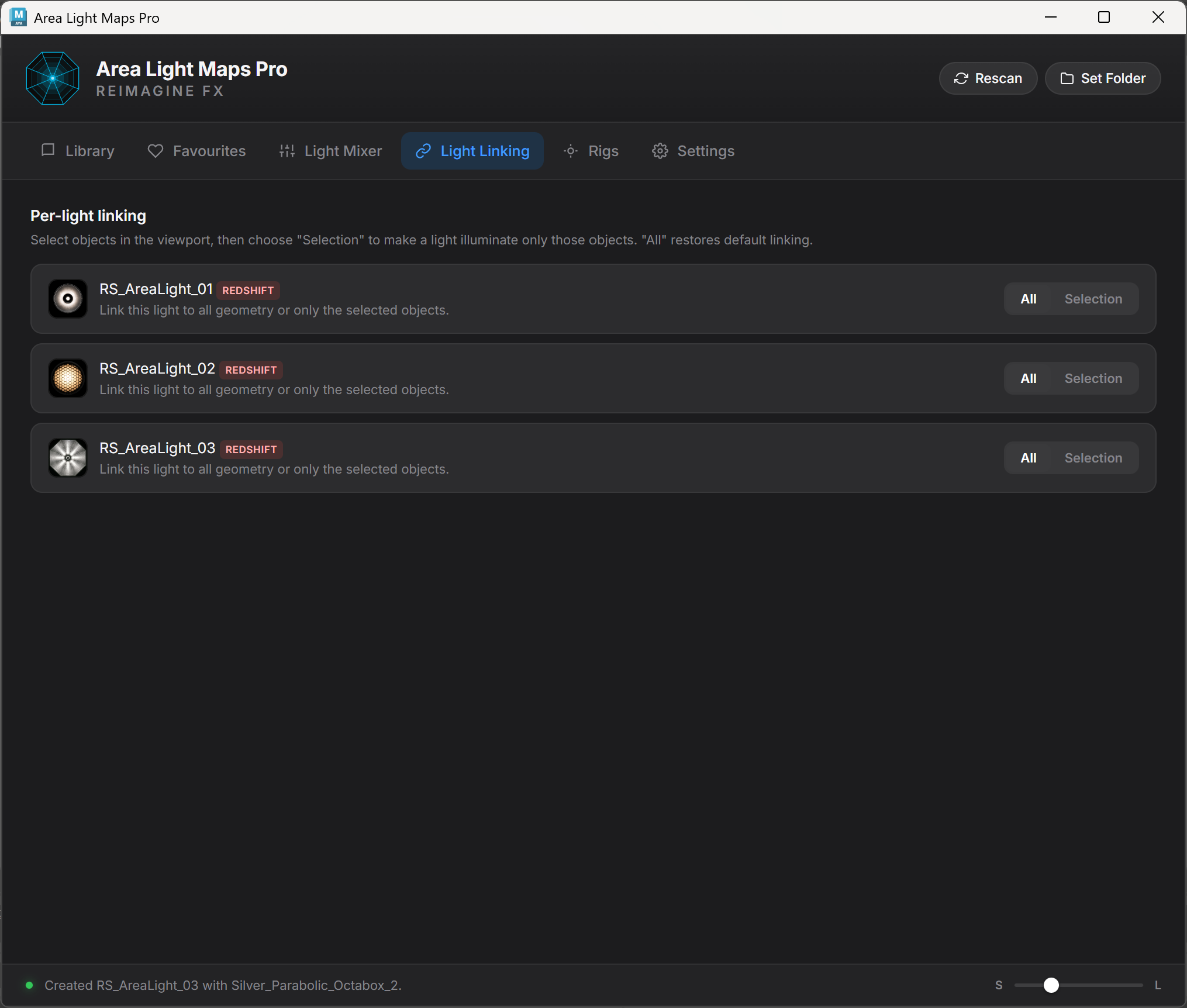
Select objects in the viewport and link a light only to that selection, or return it to the default all-geometry state. The workflow stays visible and understandable even in larger lighting setups.

  • One row per Arnold area light.
  • Selection-only linking in one click.
  • Instant restore to all geometry.
  • No manual relationship-editor workflow.
Area Light Maps Pro Light Linking interface
Rigs + placement

Build complete lighting setups around the selected subject.

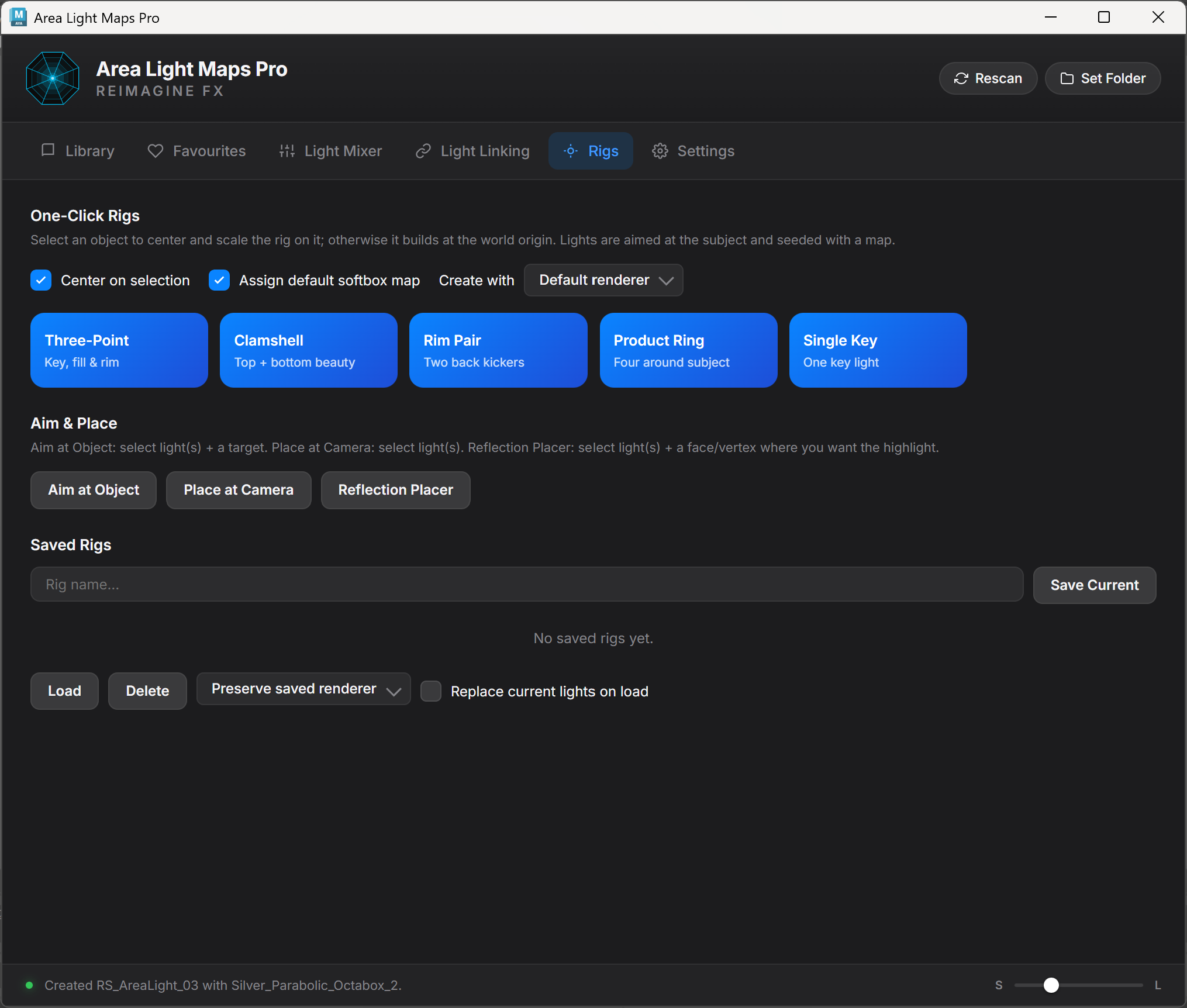
Create Three-Point, Clamshell, Rim Pair, Product Ring, or Single Key rigs that automatically center, scale, aim, and optionally assign a default softbox map.

  • Aim selected lights at an object.
  • Move selected lights to the active camera.
  • Use Reflection Placer to solve a chosen specular highlight point.
  • Save and reload complete lighting setups as reusable presets.
Area Light Maps Pro lighting rigs interface
01

Real light-map character

Softbox falloff, grids, hotspots, material wrinkles, reflectors, and cinematic structures that remain visible in surface reflections.

02

Save and recall rigs

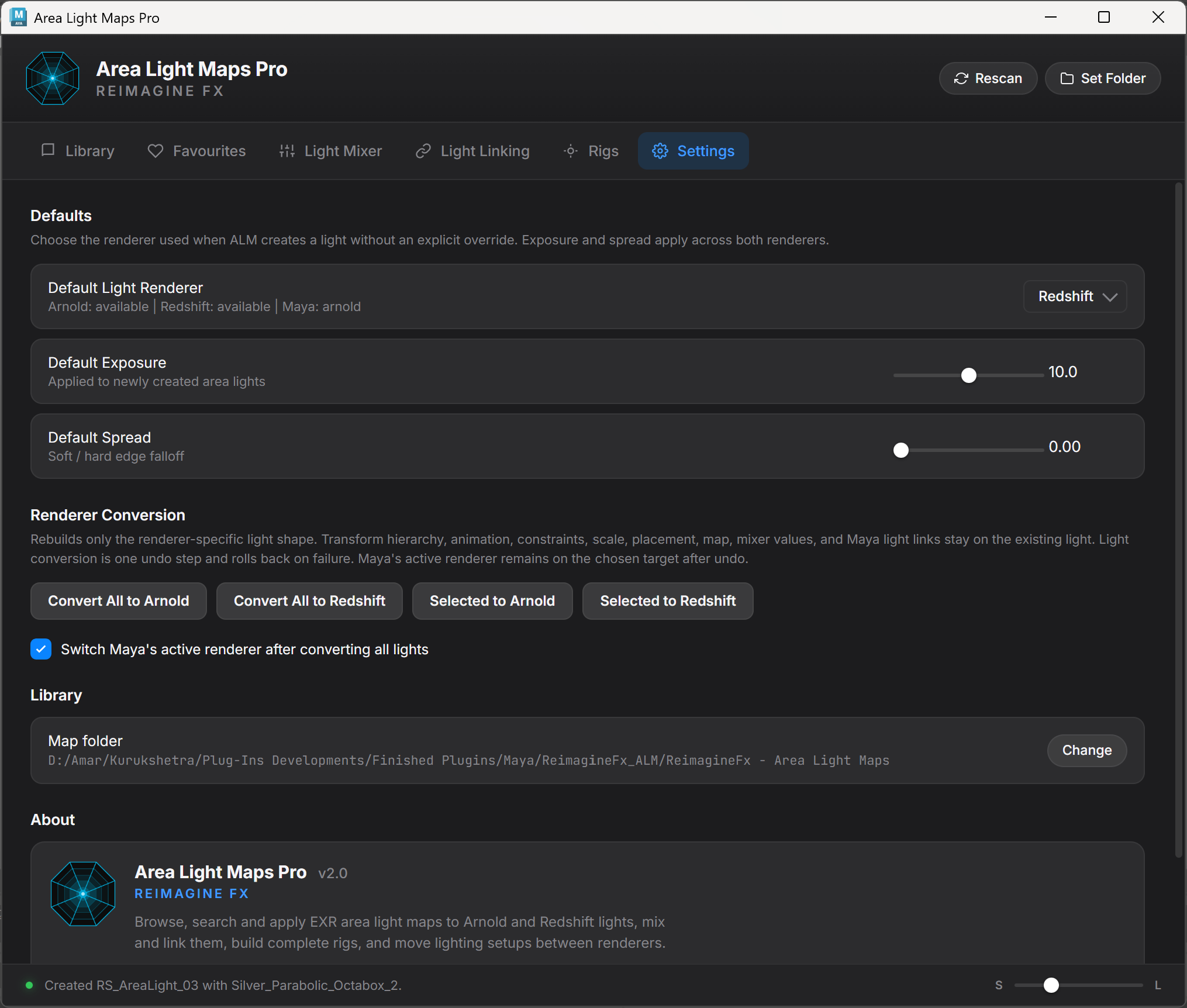
Store transforms, exposure, spread, maps, tint, and temperature as reusable JSON-based lighting setups.

03

Artist-safe operations

Multi-step Maya changes are undoable, and the plugin separates the UI from its reusable Python lighting core.

Actual plugin interface

Every major workspace, shown as it ships.

Select any screenshot to view it at a larger size.

Designed for

Lighting workflows where reflections matter.

Product Visualization

Shape readable highlights on glass, metal, plastic, cosmetics, packaging, and polished surfaces.

Beauty Lighting

Use clamshell, ring, softbox, reflector, and beauty-dish patterns for controlled studio response.

Portrait Lighting

Build catchlights, edge separation, soft facial transitions, and warm or cool tonal balance.

Look Development

Test material response quickly by changing the light-map structure rather than rebuilding the rig.

Studio Rendering

Create repeatable lighting rigs that can be stored and loaded across multiple Maya scenes.

Requirements + included files

Install once. Start lighting immediately.

The purchase contains the complete plugin, one-click shelf installer, full map library, matching thumbnails, and installation/user documentation.

Autodesk Maya 2026 Built around Maya's PySide6 and dockable workspace-control environment.
Arnold / MtoA Arnold must be loaded for area-light creation, maps, linking, rigs, and placement.
Windows 10 / 11 The current release is designed and tested for Windows.
145 EXR Maps 2048 × 2048 half-float EXRs with matching thumbnails and category organization.
One-Click Shelf Installer Add the ALM launcher to the ReimagineFX Tools shelf.
One-Time Purchase Includes the purchased product and free updates for future releases.
FAQ

Before adding it to Maya.

Can the maps be applied to existing area lights?

Yes. Select one or more Arnold area lights and use Apply to Selection. When no compatible light is selected, the plugin can create a new mapped area light.

Can I create a mapped light directly from the browser?

Yes. Double-click a map thumbnail or use Create New Light in the preview inspector.

Does the Light Mixer state save with the Maya scene?

Yes. Temperature, tint, mute, and solo metadata are stored with the scene so the mixer can restore the intended state.

Can I reuse a lighting setup in another scene?

Yes. Save all current Arnold area lights as a rig preset, then load that preset into another scene. Existing lights can optionally be replaced during loading.

What does Reflection Placer require?

Select one or more area lights, then select a mesh face or vertex at the desired highlight location. The active camera and surface normal are used to position the light.

Does it work without Arnold?

The interface can open, but Arnold must be loaded for light operations because the product is built specifically around Arnold area lights and aiImage nodes.

Built by a lighting artist

Stop managing area lights one attribute at a time.

Browse professional light maps, control every area light, build complete rigs, link illumination, position reflections, and save reusable setups from one production-focused Maya panel.